Seeking a Human Connection in the Scam-Infested Hiring Process
Since AI enabled anyone to create decent content, the hiring funnel has been filled with scammers. Am I going to spend hours reading fake resumes every day? Hell no!
Before AI, when screening candidates, I paid a lot of attention to their writing. At Semaphore we’d long established a practice of adding a couple of questions to the standard job form, like ‘What have you shipped recently that you’re most proud of?’, or ‘Why are you interested in working with us?’. All people we ended up hiring would write thoughtful, genuinely interesting responses. People who could not do that signaled that they’d not be a good fit for our remote work culture.
But now polished writing is cheap. So scammers create fake LinkedIn profiles with fake photos and fake connections, and respond to a questionnaire with the exact words that you want to hear. Some may have even posted deepfake videos of themselves.
When you really look into the details, you can tell that these are fake. But I don’t want suspicion to consume the process. Normally when I see people applying to work with us, it makes me happy and excited! So I had to work out a way to filter the noise so the real human signals are easier to see.
At SuperPlane we’re currently hiring product engineers. Since we’re open source, we added an extra requirement of having submitted a pull request to our repo. Again, it’s possible for anyone to make a PR these days, but the size, shape, and the way you present it can tell us a lot.
Ashby, the ATS product we use has a mature API. So I created a custom CLI for screening that analyzes each new application against the basic criteria, looks for AI sloppiness and suspicious signs on public profiles.
Then I handed it over to my OpenClaw assistant to run this for me. The power of OpenClaw is in its ability to use tools on the computer to interact with any application I use. So it can perform the same actions that I would in the UI, but by using a CLI or API. It inspects the output, follows the screening process, and produces a short brief instead of making me click through every application manually.
The daily brief gives me a quick rundown of immediate rejects and candidates worth a closer look. Like this:
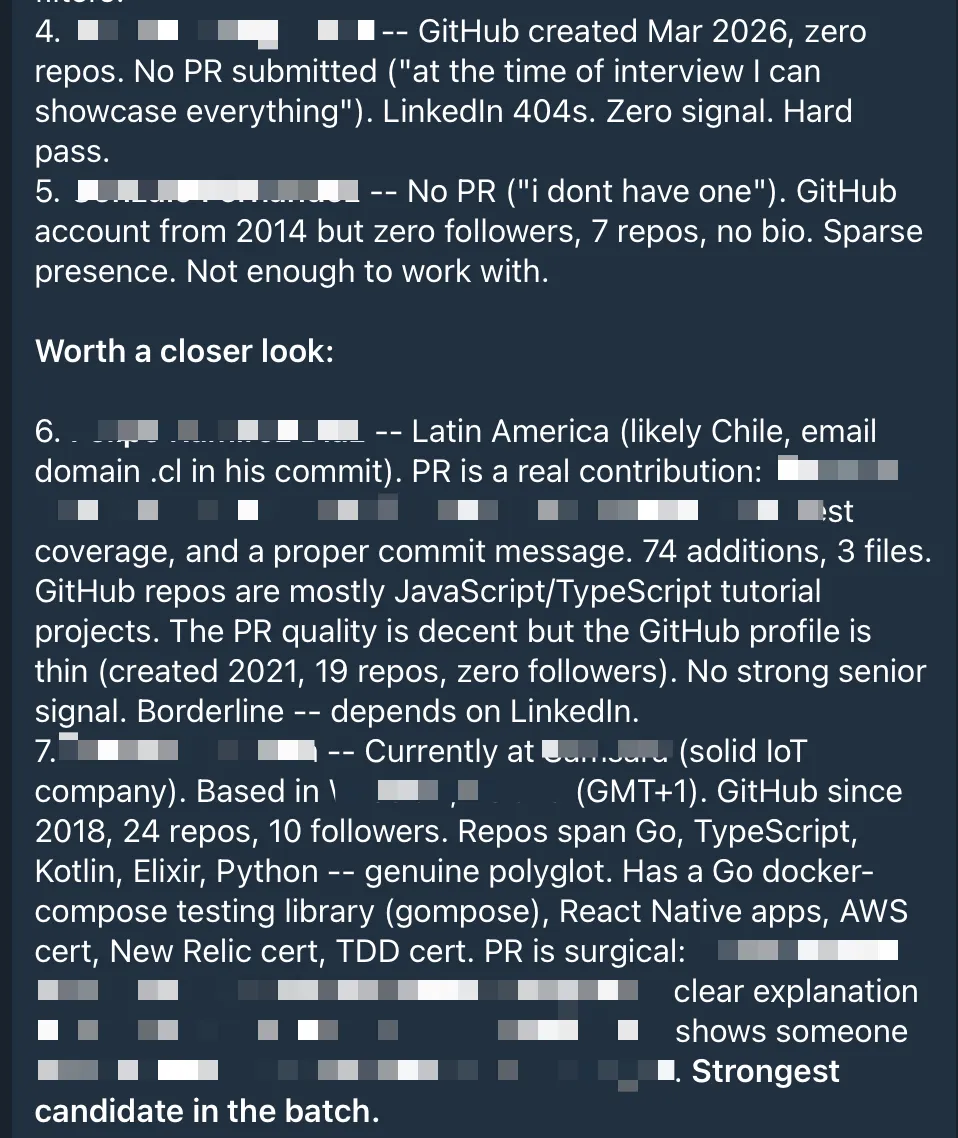
Most of the time I just confirm that it did a good job and let it reject or move the right candidates to the next stage, so I can prepare for the upcoming meetings.
It can be frustrating to see how AI floods the top of the funnel. But we have the tools to protect the human parts of the process. It’s our job now to use them.